playtua
Start here
Tilt your device to roll the ball through the maze.
Navigate ball through procedural mazes - tilt and physics controls! Learn the objective, get comfortable with the main controls and follow the steps below at your own pace. Tilt your device to roll the ball through the maze. Read the practical tips before your next round, and return to the game page whenever you want a quick refresher.
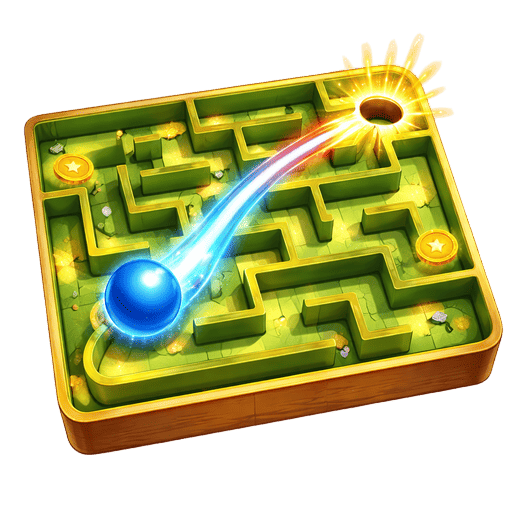
Tilt your device to roll the ball through the maze.
Take your time — speed isn't everything, especially in complex mazes
Read the current board before making your next move. Look for changes that open space or make the remaining choices clearer.
Maze Runner is a 3D puzzle game in Playtua. Navigate ball through procedural mazes - tilt and physics controls! Tilt your device to roll the ball through the maze. Navigate from the start to the exit point. Avoid dead ends and backtrack when needed.
Maze Runner makes route-finding a movement problem as well as a visual puzzle. Guide the ball from the starting point towards the exit, using the device’s tilt controls to roll through the passages. A randomly generated maze means the next attempt can ask for a different route. The 3D walls and ball give the maze depth, while dead ends create reasons to slow down, reconsider a junction and backtrack. Read the area around the ball before committing to a long corridor. Gentle movements can make turns easier to control than a sudden change of tilt. If a route ends, return to the last useful junction instead of repeatedly pushing against the same boundary. Keep track of branches you have already explored so the maze gradually becomes more familiar. Completing it quickly is a useful challenge, but a calm understanding of the layout is a better starting point than rolling into every opening at full speed.
Tilt your device to roll the ball through the maze.
Navigate from the start to the exit point.
Avoid dead ends and backtrack when needed.
Complete the maze as quickly as possible.
Each maze is randomly generated for variety.
Take your time — speed isn't everything, especially in complex mazes
Learn to control ball momentum — gentle tilts prevent overshooting
Study the maze layout from the starting position before moving
Use walls to slow down and control your ball's speed
Practice tilt controls on easy mazes before tackling harder ones
Look for dead ends and mentally eliminate them to narrow your path options
Collect stars on your first pass — backtracking wastes valuable time
Download Playtua now — Maze Runner plus 50+ other amazing games, completely free!
Download Playtua FreeMaze Runner is one part of the Playtua collection. Explore other game styles alongside its dedicated rules and controls. The collection brings different styles together, so a change of pace is always close by. Explore a category to compare its games, then open an individual game page for the rules, controls and difficulty.
Fit pieces, spot patterns and plan a move. Explore sorting challenges, familiar boards and puzzles that give you space to think.
ExploreSteer through traffic in Car Racing and Bike Racing. Read the road, change lanes and build a steady rhythm as the pace increases.
ExploreDiscover timing challenges and familiar arcade ideas with a fresh 3D feel. Compare the objectives and choose a game for your next short break.
ExploreRun a jungle causeway, explore a wilderness or spend a playful moment with Tua. These games show three different sides of the collection, with their own goals, controls and animated worlds.
Guide a penguin through a fresh 1,000-metre jungle track. Switch lanes, jump gaps and slide beneath obstacles as you head towards the finish.
ExplorePremiumExplore grasslands, rivers and cave passages. Collect 24 diamonds, defeat eight robots and use the minimap to follow your expedition.
ExploreMeet an animated companion with ten playful actions. Turn Tua around, choose a move and discover the character at your own pace.
ExploreGameplay and online services have different needs. The games work offline, while features such as leaderboards, account services and store purchases use an internet connection.
Install the app before a journey and try your favourite games. You can then enjoy gameplay when a connection is unavailable.
ExploreUse a connection when you want to access online leaderboard and account features. The app brings these services alongside the game collection.
ExploreFind explanations about accounts, advertisements, subscriptions and offline play in the frequently asked questions.
Explore