How to Play Word Search
Find hidden words in the grid - swipe to select letters!
What is Word Search?
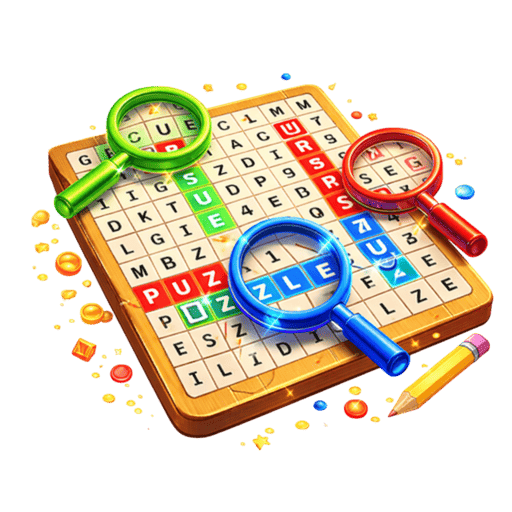
Word Search is a classic puzzle game that challenges you to find hidden words in a grid of letters. Swipe across letters to select words hidden horizontally, vertically, diagonally, and even backwards. The game features various themed word lists covering topics like animals, food, science, sports, and more, making it perfect for vocabulary building, spelling practice, and brain training. With its clean, readable design, satisfying word discovery animations, and progressively challenging levels, Word Search provides endless entertainment for word puzzle enthusiasts of all ages. Whether you're a student looking to expand your vocabulary, a parent seeking educational games for kids, or a senior wanting to keep your mind sharp, Word Search delivers the perfect blend of learning and fun.
Discover the joy of word hunting with Word Search on Playtura! This classic puzzle game challenges your vocabulary and observation skills as you find hidden words in a sea of letters. Each puzzle features a themed word list with words hidden in all eight directions — forward, backward, up, down, and all four diagonals. The clean, high-contrast design makes letters easy to read, while the satisfying highlight animations make finding each word a rewarding experience. With hundreds of puzzles across multiple themes and difficulty levels, you'll never run out of words to find. Word Search is one of the best educational games available — it improves spelling, expands vocabulary, and enhances pattern recognition while being genuinely fun to play. Download Playtura and enjoy Word Search completely free, offline, with minimal ads! Go ad-free with Premium.
Step-by-Step Guide to Play Word Search
- 1
Review the list of words you need to find in the grid
- 2
Scan the letter grid for hidden words from the list
- 3
Swipe across the letters to highlight and select a found word
- 4
Words can be hidden horizontally, vertically, diagonally, or reversed
- 5
Successfully found words are crossed off the list and highlighted on the grid
- 6
Find all words in the list to complete the puzzle and earn stars
- 7
Use the hint button if you're stuck on a particularly tricky word
Word Search Features
Pro Tips & Winning Strategies
Scan for uncommon letters first (Q, Z, X, J) — they narrow down word locations
Check all eight directions from each starting letter
Look for the first and last letters of target words
Use process of elimination — find easy words first to reduce clutter
Take breaks on tough puzzles — fresh eyes spot words faster
Scan row by row systematically for words you can't find
Remember that words can be spelled backwards in any direction
Benefits of Playing Word Search
Frequently Asked Questions
What are the step-by-step rules of Word Search?
What strategies help win at Word Search?
How long does a typical Word Search session take?
Is Word Search suitable for beginners?
What cognitive benefits does playing Word Search provide?
More Game Guides

Explore More
Ready to Play Word Search?
Download Playtura now — Word Search plus 50+ other amazing games, completely free!
Download Playtura Free