playtua
Start here
Draw a circle on the screen with your finger.
Draw the most perfect circle you can on screen - test your hand precision! Learn the objective, get comfortable with the main controls and follow the steps below at your own pace. Draw a circle on the screen with your finger. Read the practical tips before your next round, and return to the game page whenever you want a quick refresher.
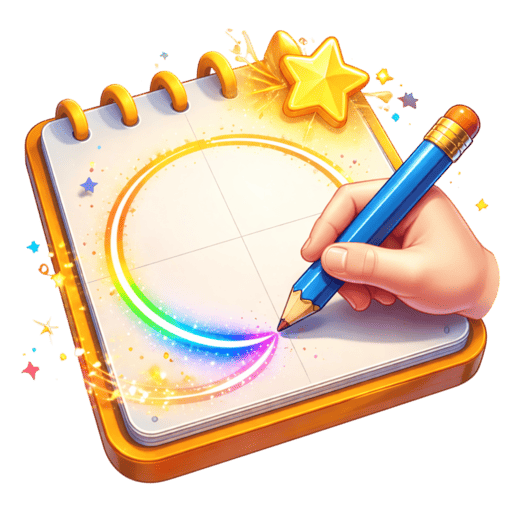
Draw a circle on the screen with your finger.
Draw at a steady, consistent speed — rushing causes wobbles
Get comfortable with the main gesture, then let the game set the pace. There is no need to turn every session into a personal-best attempt.
Perfect Circle is a 3D casual game in Playtua. Draw the most perfect circle you can on screen - test your hand precision! Draw a circle on the screen with your finger. The closer to a perfect circle, the higher the score. Keep a steady hand and consistent speed.
Perfect Circle turns a single drawing gesture into a small personal challenge. Trace a circle with your finger and see how closely the result follows a consistent shape. A smooth curve, steady distance from the centre and a clean meeting of the start and end points all matter to the feel of the attempt. Its 3D presentation gives the drawing a place in Playtua’s collection while keeping the interaction pleasantly simple. Choose a comfortable size before you begin. A circle that is too large for your natural hand movement may encourage a rushed correction near the end. Try keeping a consistent speed around the curve instead of slowing dramatically at one side and accelerating at another. Aim to return gently to the starting point rather than closing a large gap with a straight line. Comparing two attempts can be interesting even without a perfect score: notice which part felt smooth and try carrying that rhythm through the whole shape.
Draw a circle on the screen with your finger.
The closer to a perfect circle, the higher the score.
Keep a steady hand and consistent speed.
Try to connect the start and end points.
Challenge yourself to beat your best score.
Draw at a steady, consistent speed — rushing causes wobbles
Use your whole arm for the motion, not just your wrist or fingers
Practice with different circle sizes to find your sweet spot
Stay relaxed — muscle tension directly affects drawing accuracy
Find your optimal drawing speed — too slow causes tremors, too fast causes corners
Rest your hand on the device for stability while drawing
Try drawing clockwise and counter-clockwise to see which feels more natural
Download Playtua now — Perfect Circle plus 50+ other amazing games, completely free!
Download Playtua FreePerfect Circle is one part of the Playtua collection. Explore other game styles alongside its dedicated rules and controls. The collection brings different styles together, so a change of pace is always close by. Explore a category to compare its games, then open an individual game page for the rules, controls and difficulty.
Fit pieces, spot patterns and plan a move. Explore sorting challenges, familiar boards and puzzles that give you space to think.
ExploreSteer through traffic in Car Racing and Bike Racing. Read the road, change lanes and build a steady rhythm as the pace increases.
ExploreDiscover timing challenges and familiar arcade ideas with a fresh 3D feel. Compare the objectives and choose a game for your next short break.
ExploreRun a jungle causeway, explore a wilderness or spend a playful moment with Tua. These games show three different sides of the collection, with their own goals, controls and animated worlds.
Guide a penguin through a fresh 1,000-metre jungle track. Switch lanes, jump gaps and slide beneath obstacles as you head towards the finish.
ExplorePremiumExplore grasslands, rivers and cave passages. Collect 24 diamonds, defeat eight robots and use the minimap to follow your expedition.
ExploreMeet an animated companion with ten playful actions. Turn Tua around, choose a move and discover the character at your own pace.
ExploreGameplay and online services have different needs. The games work offline, while features such as leaderboards, account services and store purchases use an internet connection.
Install the app before a journey and try your favourite games. You can then enjoy gameplay when a connection is unavailable.
ExploreUse a connection when you want to access online leaderboard and account features. The app brings these services alongside the game collection.
ExploreFind explanations about accounts, advertisements, subscriptions and offline play in the frequently asked questions.
Explore