As a parent, finding safe mobile games for your children feels like navigating a minefield. You download a cute-looking game, hand your phone to your child, and within minutes they're watching unskippable video ads, being asked to spend $4.99 on virtual coins, or tapping links that take them to the app store.
It doesn't have to be this way.
Playtua offers 50+ games that are genuinely safe for children of every age. Zero ads. Zero in-app purchases. Zero inappropriate content. Zero external links. Just pure, safe, educational fun.
The Problem With "Free" Kids Games
Let's be honest about what most free kids games actually look like:
- Ads every 30 seconds — often for inappropriate products or other games
- Unskippable video ads — 30-second interruptions that frustrate young children
- "Accidental" purchase buttons — strategically placed where kids will tap them
- Loot boxes and gacha mechanics — teaching gambling behavior to children
- Social features — chat rooms and friend requests from strangers
- Data collection — tracking your child's behavior for advertising purposes
A 2024 study found that the average "free" children's game shows an ad every 90 seconds and contains 17 opportunities to spend real money. That's not a game — it's an advertisement with game elements.
Why Playtua Is Different
Playtua was designed with a simple philosophy: games should be fun, not monetization vehicles. Here's what that means for your family:
Every game mentioned is free to download on Google Play and the App Store with no in-app purchases.
| Safety Feature | Playtua | Typical "Free" Kids Game | | ------------------------- | --------------------- | ----------------------------- | | Advertisements | None whatsoever | Every 30-90 seconds | | In-App Purchases | Zero | $1.99 - $99.99 prompts | | Inappropriate Content | None | Ad content varies wildly | | External Links | None in gameplay | Ads link to stores/websites | | Social Features | None (safe by design) | Chat, friend requests | | Internet Required | No (fully offline) | Yes (for ad serving) | | Data Collection | Minimal | Extensive behavioral tracking |
Best Games for Young Children (Ages 4-7)
Young children need games with simple controls, bright visuals, and no frustration.
Balloon Blaster — Tap to Pop
Balloon Blaster is perfect for the youngest players. Colorful balloons float upward, and kids simply tap to pop them before they escape. The large touch targets accommodate small fingers, the bright colors are visually engaging, and the difficulty ramps gently.
What kids learn: Hand-eye coordination, color recognition, reaction speed
Popit Fidget — Satisfying Sensory Play
Popit Fidget recreates the incredibly satisfying bubble-popping experience that kids love. It's a digital fidget toy — calming, sensory-rich, and endlessly enjoyable. No scores, no pressure, just satisfying pops.
What kids learn: Fine motor skills, sensory processing, self-regulation
Whack A Mole — Fast Tapping Fun
Whack A Mole is a timeless arcade game that kids adore. Moles pop up from holes, and kids tap to whack them. The progressively increasing speed keeps older children challenged while younger ones enjoy the basic tapping at slower speeds.
What kids learn: Reaction time, visual tracking, hand-eye coordination
Best Games for School-Age Kids (Ages 8-12)
At this age, children benefit from games that offer cognitive challenges wrapped in fun.
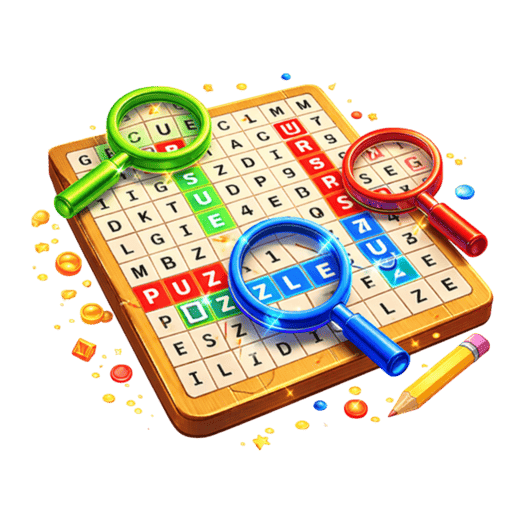
Word Search — Vocabulary Building
Word Search is one of the most educationally valuable games in Playtua. Kids search for hidden words in letter grids, reinforcing spelling, expanding vocabulary recognition, and building systematic search strategies.
What kids learn: Spelling, vocabulary, pattern recognition, patience
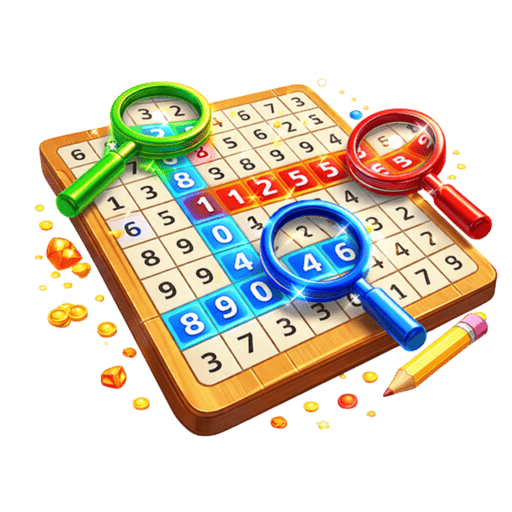
Number Search — Mathematical Awareness
Number Search does for numbers what Word Search does for words. Finding number sequences in digit grids strengthens mathematical pattern recognition and numerical fluency — skills that directly support math performance in school.
What kids learn: Number recognition, mathematical patterns, focused attention
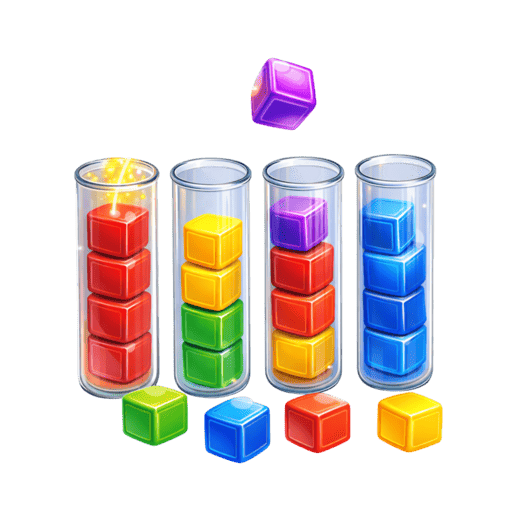
Colors Sort — Logical Thinking
Colors Sort teaches logical, sequential thinking. Kids must figure out the right order of moves to sort colors into matching tubes — a constraint satisfaction problem that builds the same thinking skills used in coding and mathematics.
What kids learn: Logical reasoning, sequential planning, problem-solving
Candy Crush — Strategic Pattern Matching
Candy Crush teaches strategic thinking through its match-3 mechanics. Kids learn to scan for patterns, predict consequences of moves, and plan several steps ahead. The colorful candy theme keeps engagement high.
What kids learn: Pattern recognition, strategic planning, visual scanning
Best Games for Teenagers (Ages 13+)
Teenagers want games that offer genuine challenge and a sense of mastery.
Flappy Bird — The Ultimate Skill Test
Flappy Bird is the perfect teen game — brutally difficult, endlessly replayable, and a genuine test of timing and patience. Teens love the challenge and the bragging rights that come with high scores.
Car Racing & Bike Racing — Adrenaline Rush
Car Racing and Bike Racing deliver the fast-paced action that teens crave. Dodge traffic, chase high scores, and compete on leaderboards — all without the violent content found in many teen-targeted games.
2048 & Block Blast — Deep Strategy
2048 and Block Blast offer the kind of deep strategic gameplay that keeps analytical teens engaged for hours. These games reward intelligence and planning, building skills that transfer to academics.
Setting Up Playtua for Your Child
Getting your child set up with safe gaming takes literally 60 seconds:
- Download Playtua on your phone or their device (under 50MB)
- Open the app — no account or sign-up needed
- That's it — every game is immediately available and safe
There are no settings to configure, no parental controls to enable (because there's nothing unsafe to control), and no accounts that could be compromised. It's safe by design, not safe by restriction.
Screen Time Guidance
While Playtua games are safe, managing screen time is still important. Here are age-appropriate guidelines based on the American Academy of Pediatrics recommendations:
- Ages 4-5: 30-60 minutes per day, with a parent nearby
- Ages 6-12: 60-90 minutes per day, balanced with physical activity
- Ages 13+: Help teens self-regulate with agreed-upon limits
Pro tip: Use Playtua games as a reward for completing homework or chores. "30 minutes of Playtua after you finish reading" is a powerful motivator that teaches delayed gratification.
See why parents trust Playtua on our about page and browse the full game collection.
Keep Reading
The Educational Value of Well-Designed Games
Not all screen time is equal. Research consistently shows that interactive puzzle games provide measurable cognitive benefits for children:
- Problem-solving skills improve with regular puzzle game play
- Spatial reasoning develops through games like Maze Runner and Block Blast
- Working memory strengthens with games that require holding multiple pieces of information
- Patience and persistence grow through challenging games like Flappy Bird
- Hand-eye coordination develops through action games like Fruit Ninja
The key is choosing games that challenge without frustrating, and avoiding the negative effects of ad exposure and purchase pressure. Playtua checks both boxes.
📱 Download Playtua — App Store · Google Play — 50+ safe, free, educational games your kids will love.